

Téléportation dans Minecraft : commandes et méthodes
Minecraft teleportation allows for instant movement between locations, a valuable tool for efficient exploration, avoiding danger, and traveling between bases or game areas. The methods available vary depending on the game version and this article details each approach.
See also: How to travel to the Nether via portal
Table of Contents
- General Information on Teleportation in Minecraft
- Teleportation in Survival Mode
- Teleportation via Command Blocks
- Teleportation on Servers
- Common Errors and Solutions
- Tips for Safe Teleportation
General Information on Teleportation in Minecraft
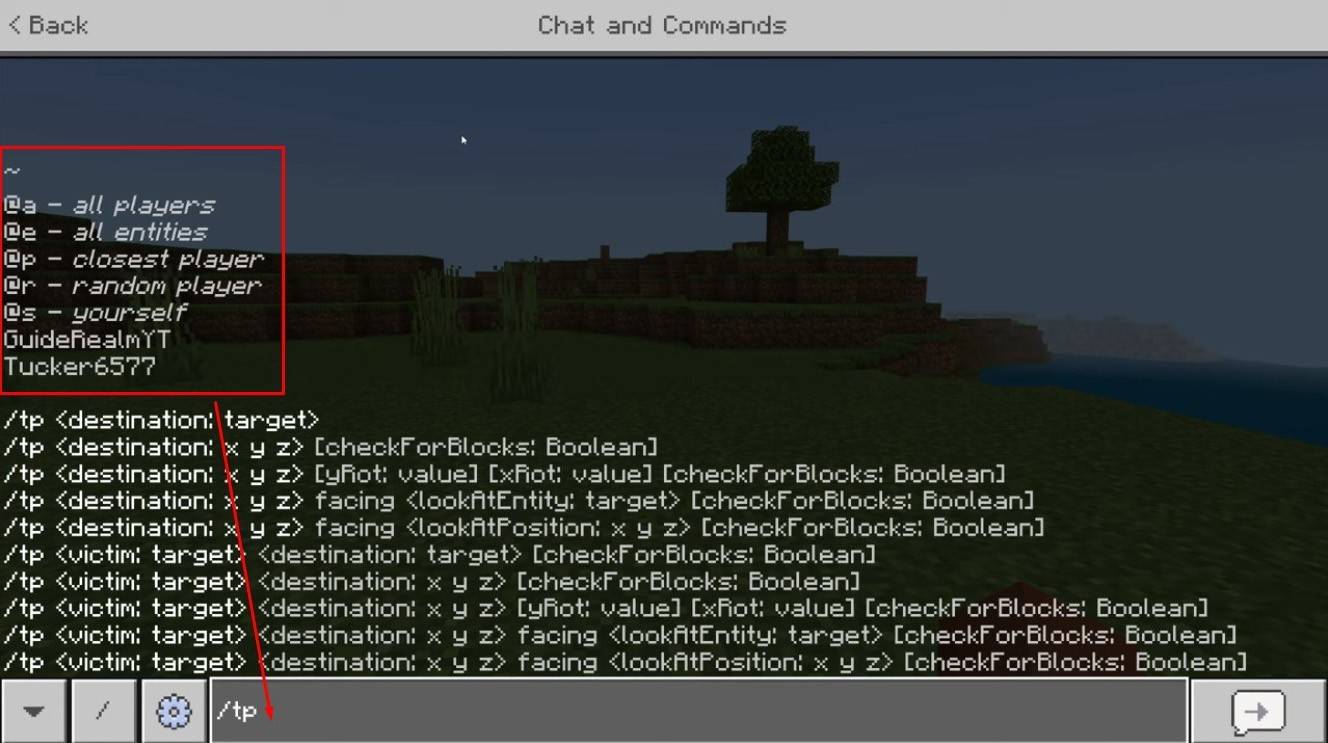 *Image: youtube.com*
The primary command is "/tp," offering variations and parameters for precise control. You can teleport to players, specific coordinates, or even set your viewing direction. Creature movement is also possible!
Here's a breakdown of key command functionalities:
| Command Name | Action |
|---|---|
| /tp | Teleports you to another player. |
| /tp | Allows server admins/operators to move a player. |
| /tp | Teleports you to specific coordinates. |
| /tp | Sets viewing direction (yaw - horizontal, pitch - vertical). |
| /tp @e\[type= | Teleports all creatures of a specified type to given coordinates. |
| /tp @e\[type=creeper,limit=1\] | Teleports the nearest single creature of a specified type. |
| /tp @e | Teleports all entities (players, creatures, items, boats). Use cautiously; may cause server lag. |
On servers, command availability depends on player permissions. Operators and administrators have full access, while regular players require authorization.
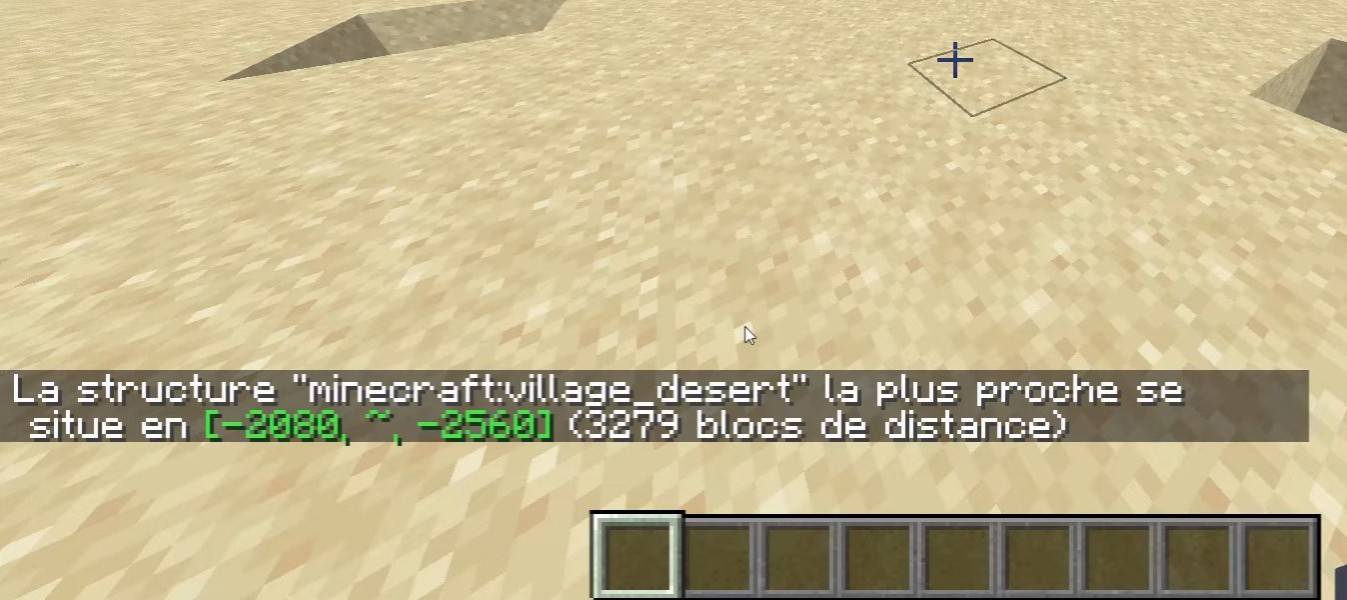 *Image: youtube.com*
The "/locate" command is frequently used to find structures (villages, fortresses). Combined with "/tp," it quickly identifies and teleports you to a target.
Teleportation in Survival Mode
This command is initially unavailable but can be enabled by activating cheats during world creation, using a command block, obtaining admin rights on a server, or installing plugins like EssentialsX.
Teleportation via Command Blocks
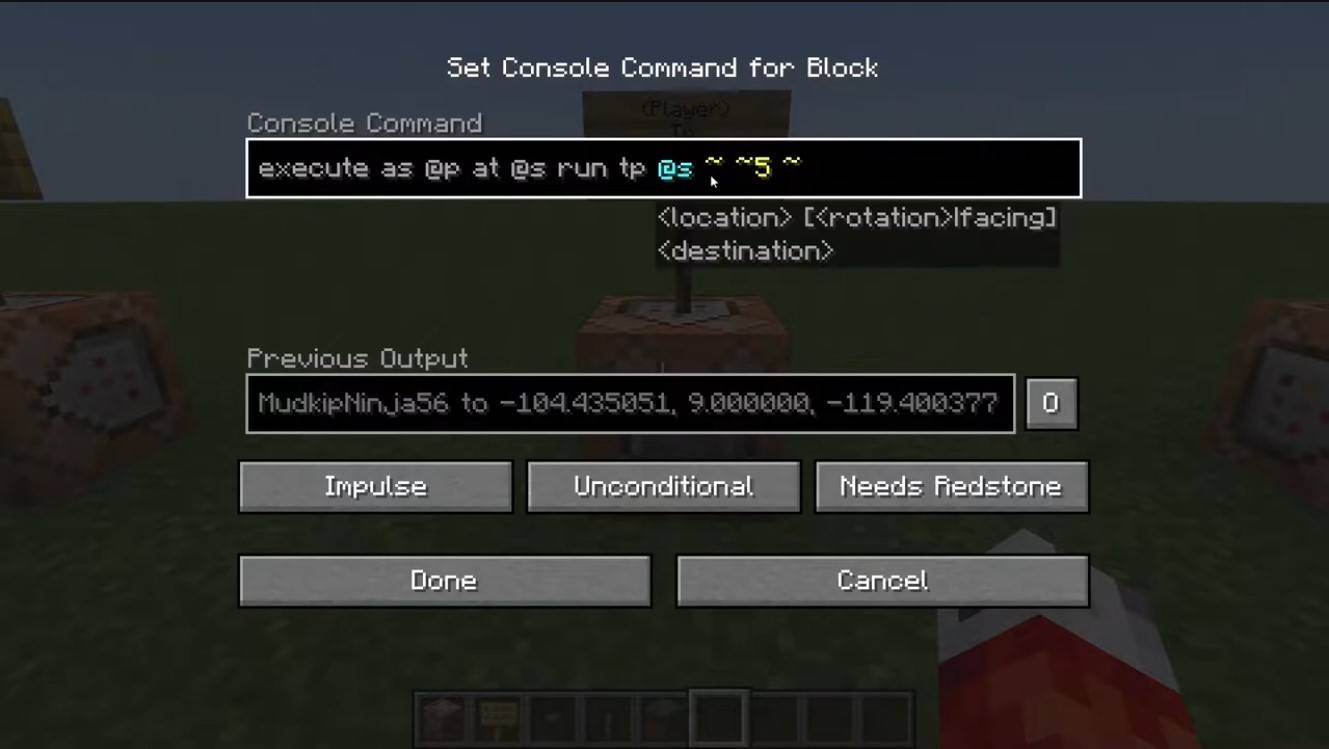 *Image: youtube.com*
Command blocks automate teleportation. For multiplayer, enable them in server settings, obtain the block using "/give @p command_block," place it, enter the desired command, and connect a lever or button. Your personal teleportation device is ready!
Teleportation on Servers
Servers often have specialized teleportation commands, with access dependent on your role. Admins, moderators, and donors usually have more options; regular players may face restrictions.
Common server commands include:
- "/spawn" – Returns the player to the server's spawn point.
- "/home" – Teleports the player to their registered home.
- "/sethome" – Sets a home point.
- "/warp" – Teleports to a predefined warp point.
- "/tpa" – Sends a teleport request to another player.
- "/tpaccept" – Accepts a teleport request.
- "/tpdeny" – Rejects a teleport request.
Before teleporting, check server rules; some servers impose restrictions, delays, or penalties for teleporting during combat. If a command fails, check your permissions or look for alternatives.
Common Errors and Solutions
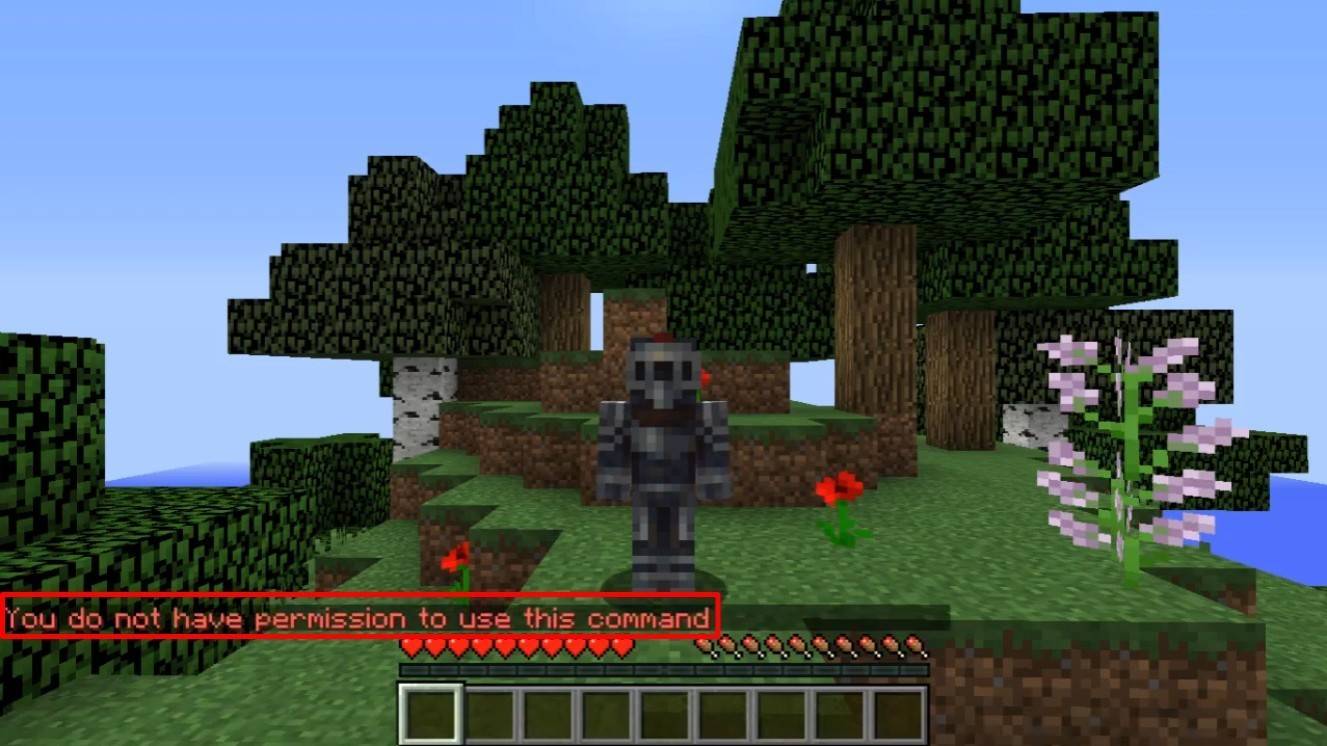 *Image: youtube.com*
"You do not have permission" errors indicate insufficient permissions. Request admin authorization or enable cheats in single-player.
"Incorrect argument" errors mean incorrect command entry; double-check your input. If you end up underground, ensure the Y-coordinate isn't too low (64 or higher is recommended). Delays may be due to intentional server settings to prevent cheating.
Tips for Safe Teleportation
Ensure your destination is safe. On servers, use "/tpa" to avoid accidental displacement. Set a return point using "/sethome" before exploring new areas. When teleporting to unknown locations, carry potions or a totem of undying for safety.
Minecraft teleportation is a convenient tool for navigation and gameplay. Commands, plugins, and command blocks facilitate efficient travel. Use it wisely to avoid disrupting the game experience!
Main image: youtube.com
-
 Manoa Poke ShopHungry for fresh poke bowls anytime, anywhere? The Manoa Poke Shop mobile app puts delicious Hawaiian-inspired meals just a tap away. This intuitive ordering platform lets you quickly customize and place your perfect poke order while saving payment
 -
 Oh Hell! - Contract WhistOh Hell! is one of the world's most entertaining fast-paced variations of Contract Whist!As one of the most beloved Whist-style card games globally, Oh Hell! - also known as Contract Whist, Oh Well!, German Bridge, Blackout or Up and Down the River -
 -
 Love and Seek Christian DatingSearching for a dating app designed for spiritually-minded singles who value Christian principles? Love and Seek Christian Dating is your ideal choice. As the premier subscription-based dating site for Christian men and women, this app is perfect fo
 -
 Merkur24Merkur24 Casino – Your Ultimate Merkur Online Gaming Destination! Enjoy over 700 thrilling slot games and exclusive promotions under the Merkur Sun! Wherever you are – relaxing at home or on the move – access authentic Merkur slots completely free
 -
 Germ DashOutrun germs while collecting groceries to achieve your highest score!*Exciting new features are coming soon - graphics are temporarily delayed!*Sprint away from germs and survive as long as possible while gathering points. The game currently include
 -
 أسئلة دراساتExplore Fourth Grade Social Studies QuestionsThis is the first quiz game designed for fourth grade primary school students in social studies, but it's also perfect for all ages to test general knowledge.How to Play:You have 60 seconds and 5 attempts.




