

Best Steam Deck Docks for TV Play
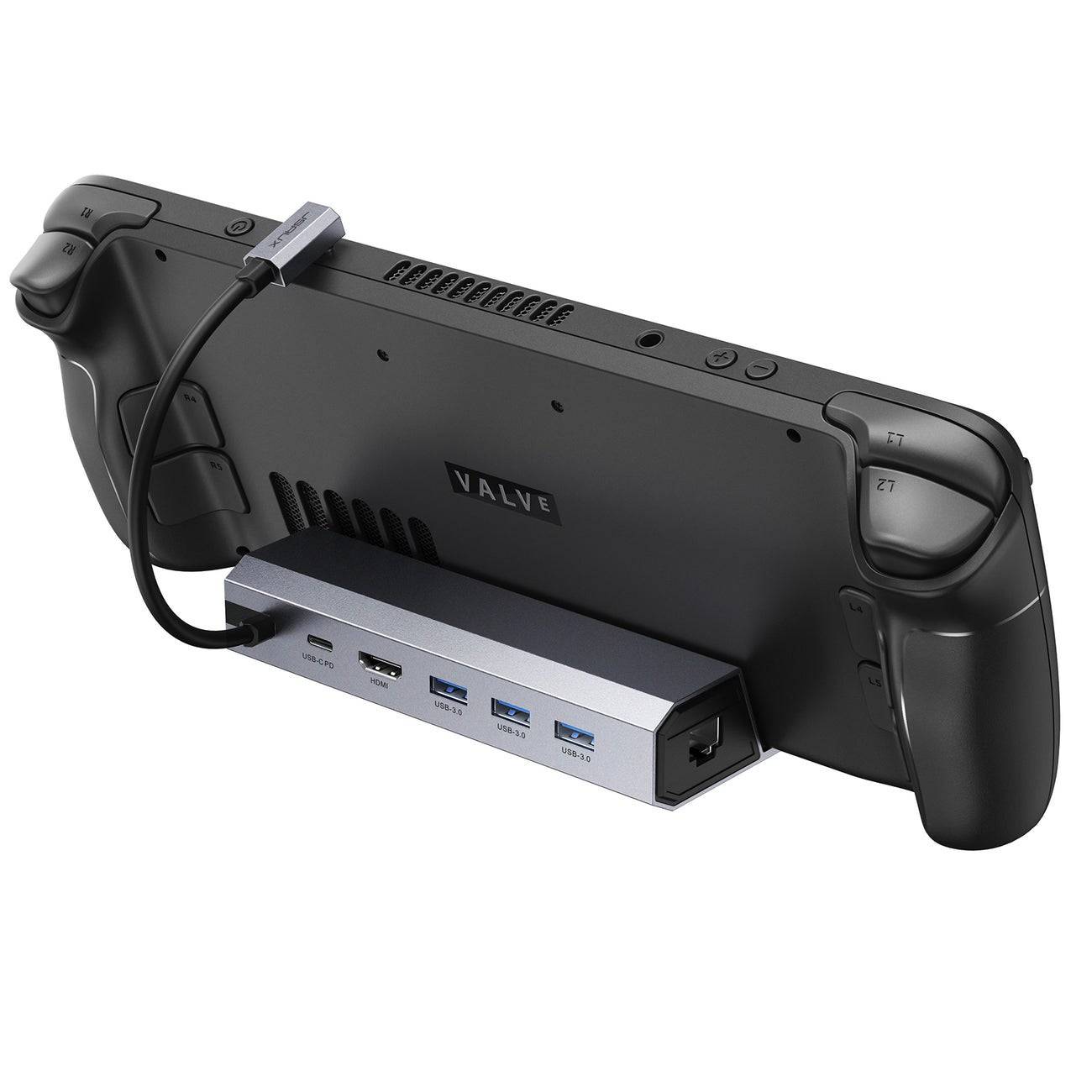

While the Steam Deck's built-in screen delivers excellent portable gaming, connecting to a larger display takes the experience to new heights. That's where docking stations like our top pick, the JSAUX HB0603, prove invaluable among essential Steam Deck accessories for 2025.
The Best Steam Deck Docking Stations for 2025
These carefully selected docks transform your handheld into a full gaming setup, enabling seamless connections to TVs and monitors while maintaining visual quality. Many models feature extra USB ports, power delivery, and even Ethernet for ultimate flexibility.
- JSAUX HB0603 Docking Station - Best overall with 100W charging and comprehensive port selection
- Official Steam Deck Dock - Premium Valve-designed option with DisplayPort support
- iVoler Docking Station - Budget-friendly choice with solid core features
- NewQ Portable Dock - Ultra-compact travel solution with 4K output
- MOKiN Dual Monitor Dock - Ideal for multi-display setups
1. JSAUX HB0603 Docking Station
The best overall Steam Deck dock balances performance and value with:
- 4K@60Hz HDMI output
- 100W power delivery
- Three USB 3.0 ports
- Built-in Ethernet
2. Official Steam Deck Dock
Valve's first-party solution offers premium build quality and DisplayPort connectivity, though at a higher price point.
3. iVoler Budget Dock
This affordable option under $30 delivers the essentials for casual home use without Ethernet capability.
4. NewQ Portable Dock
Weighing just 4 ounces, this foldable dock is perfect for gaming on the go while supporting 4K output.
5. MOKiN Dual Monitor Dock
Simultaneous HDMI and DisplayPort outputs make this ideal for multi-screen gaming setups.
Key Features to Consider
When selecting a Steam Deck dock, prioritize:
- Video output (HDMI 2.0 minimum for 4K@60Hz)
- USB ports for peripherals (minimum 3 recommended)
- Power delivery (45W+ for Steam Deck charging)
- Additional features like Ethernet or DisplayPort
Frequently Asked Questions
Do docks charge the Steam Deck?
Yes, quality docks supply power while gaming through USB-C PD ports.
Is a dock included with purchase?
No, all docking stations must be purchased separately.
Do you need a dock for TV connections?
While not required, docks provide the most reliable and feature-rich connection method.
-
 Space Gangster 2Step into the electrifying world of Space Gangster 2, a universe where the cosmos is your domain and criminal syndicates dominate the stars. This action-driven game thrusts you into an intergalactic crime saga, challenging you to forge your legacy in
 -
 Mafia Sniper — Wars of ClansStep into the gritty underworld of Mafia Sniper, where you'll face off against the most notorious gangsters of the early 20th century. Immerse yourself in a high-stakes battle alongside legendary figures, honing your skills to become the top shooter
 -
 Truck Simulator EuropeStep into the driver's seat of powerful trucks and explore the continent in Truck Simulator: Europe. Take on realistic missions, grow your business empire, and conquer diverse levels across cityscapes, rural routes, and busy highways. Featuring immer
 -
 Scribble RiderScribble Rider creatively blends art with high-speed racing in this unique mobile game. Here, you design your own vehicle by sketching it, then take it for a spin on demanding tracks. Offering endless customization and thrilling gameplay, it delivers
 -
 The Movie BoxThe Movie Box is a detailed hub for films and TV series. Users can explore comprehensive information on movies, shows, and actors, watch trailers, and read reviews. It offers multilingual support, a dark/light mode toggle, and delivers celebrity news
 -
 LaacibWelcome to Laacib – your ultimate global football hub. Stay ahead with real-time updates, exclusive insights, and in-depth coverage of leagues and tournaments worldwide, all tailored for passionate fans.Pro & Cons:Pros:- Broad Football Coverage: Laac




