

Splitgate 2 Best Settings for High FPS and Visibility
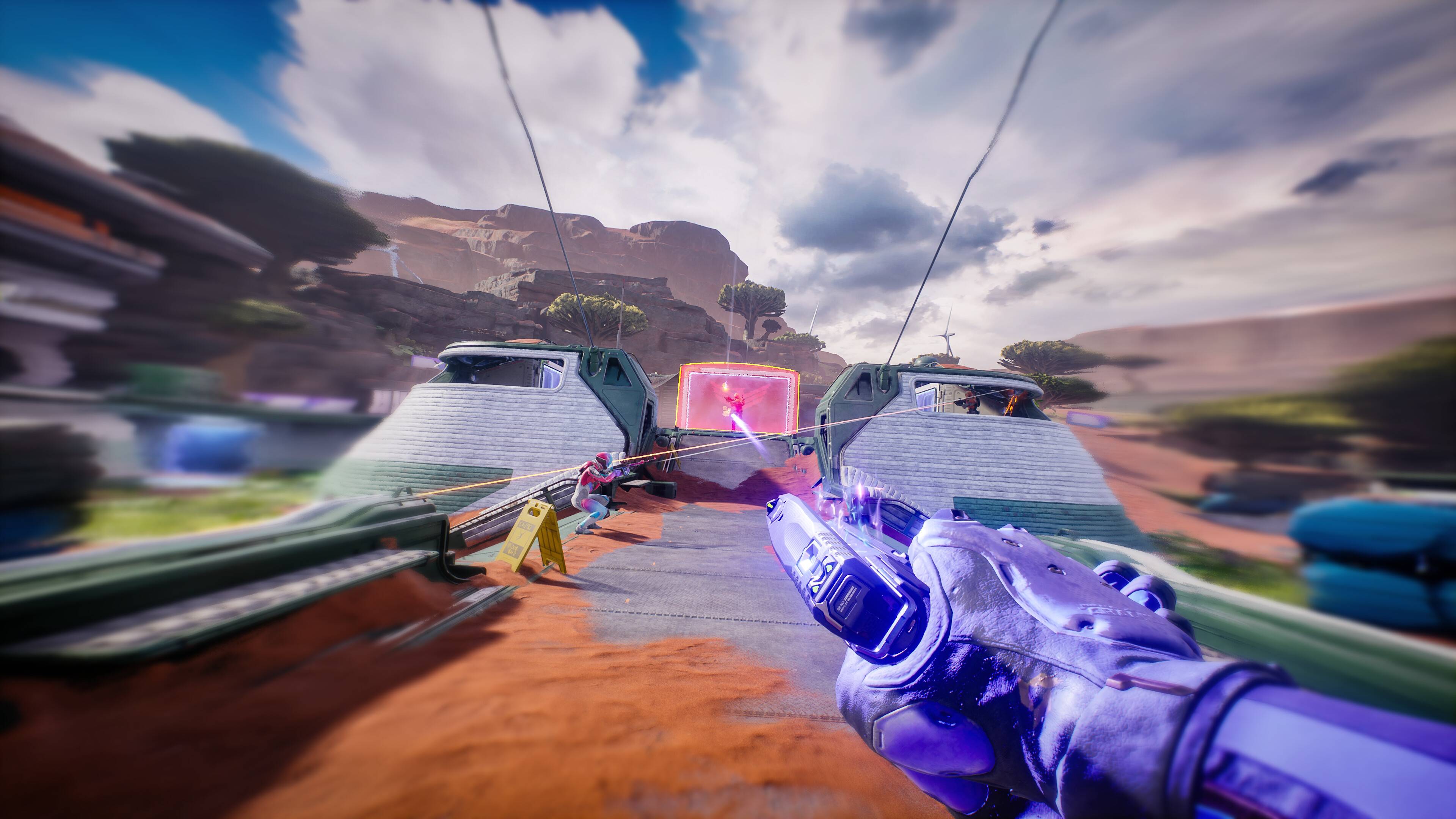
Splitgate 2 is one of 2025's most anticipated games, a highly-awaited sequel to a beloved title. However, being in Alpha, it's experiencing the usual growing pains: crashes, frame drops, and performance hiccups. Optimizing your settings is key to smoother gameplay. This guide details the best settings for maximizing framerate and minimizing input lag in Splitgate 2.
Recommended Videos
Related: What Is Splitgate 2’s Release Date?
Splitgate 2 System Requirements
Before optimization, ensure your system meets the minimum or recommended specs. Fortunately, Splitgate 2 isn't overly demanding.
Minimum:
- Processor: Intel® Core™ i3-6100 / Core™ i5-2500K or AMD Ryzen™ 3 1200
- Memory: 8 GB RAM
- Graphics: NVIDIA® GeForce® GTX 960 or AMD Radeon™ RX 470
Recommended:
- Processor: Intel® Core™ i5-6600K / Core™ i7-4770 or AMD Ryzen™ 5 1400
- Memory: 12 GB RAM
- Graphics: NVIDIA® GeForce® GTX 1060 or AMD Radeon™ RX 580
Splitgate 2 Best Video Settings
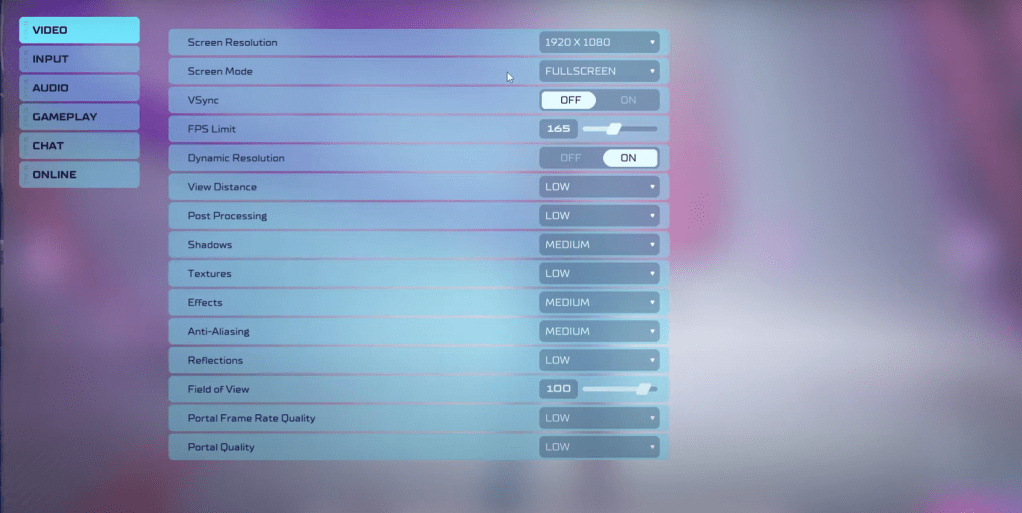
In a competitive shooter, performance trumps visuals. The following settings prioritize framerate:
- Screen Resolution: Monitor's Native (1920×1080 is standard)
- Screen Mode: Borderless Fullscreen (for easy Alt+Tabbing), otherwise Fullscreen.
- VSync: Off (reduces input lag significantly)
- FPS Limit: Monitor's Refresh Rate (60, 144, 165, 240, etc.)
- Dynamic Resolution: On (experiment with Off; results vary by system)
- View Distance: Low
- Post Processing: Low
- Shadows: Medium (Low for older systems)
- Effects: Low
- Anti-Aliasing: Low (increase if shimmering is noticeable)
- Reflection: Low
- Field of View: Maximum (though reducing slightly may improve performance)
- Portal Frame Rate Quality: Low
- Portal Quality: Low
Generally, prioritize the lowest settings. However, if the visuals are too stark, consider increasing Effects and Anti-aliasing—these have a relatively minor performance impact. While maximum Field of View is ideal for competitive play, a slight reduction can boost framerates.
Other Recommended Splitgate 2 Settings
These settings, while not directly impacting FPS, enhance gameplay:
- Sensitivity: Adjust to your preference, or use an online calculator to convert settings from other games.
- Audio: Lower in-game music volume to reduce distractions.
- Spatial Sound: Enable in Windows settings for improved audio cues. This is a general tip beneficial for most games.
Conclusion
By implementing these settings, you'll significantly improve your Splitgate 2 experience. Remember to experiment and find the optimal balance between performance and visual quality for your system.
Related: 10 of the Most Fun Games to Play With Friends
-
 Game Slot Online Gates OlympusGates Olympus Online Slot Games - Your Premier Gaming DestinationDiscover the most thrilling and rewarding slot gaming experience at Game Slot Online Gates Olympus. We feature an extensive collection of premium games from industry-leading providers i
 -
 Cheating The Friend HDLooking for an entertaining card game to enjoy with loved ones? Cheating The Friend HD delivers endless fun with its straightforward rules and accessible gameplay. Test your bluffing skills as you compete to finish with the fewest penalty points in
 -
 Zul+ Zona Azul SP, IPVA, Tag +The Zul+ Zona Azul SP, IPVA, Tag + app is the all-in-one solution for more than 5 million drivers. It simplifies every aspect of vehicle management—from finding and paying for parking in São Paulo's Zona Azul and 16 other cities, to handling IPVA, v
 -
 Mares AppExperience underwater exploration like never before with the Mares App – your ultimate dive companion. Effortlessly record scuba, freediving, and technical dives while documenting marine life encounters all in one intuitive platform. Quickly add div
 -
 FeelinMySkin: Skincare RoutineHaving trouble sticking to your skincare regimen? Meet your new beauty ally - Skincare Routine: FeelinMySkin! This groundbreaking app does more than just help organize your AM/PM skincare steps. It intelligently evaluates your current products to en
 -
 Ma CNSSThe updated Ma CNSS mobile application provides Moroccan citizens with streamlined access to their social security benefits and services. This digital platform incorporates cutting-edge security measures including facial recognition and fingerprint




