

Get Free Hela Skin in Marvel Rivals via Twitch Drops
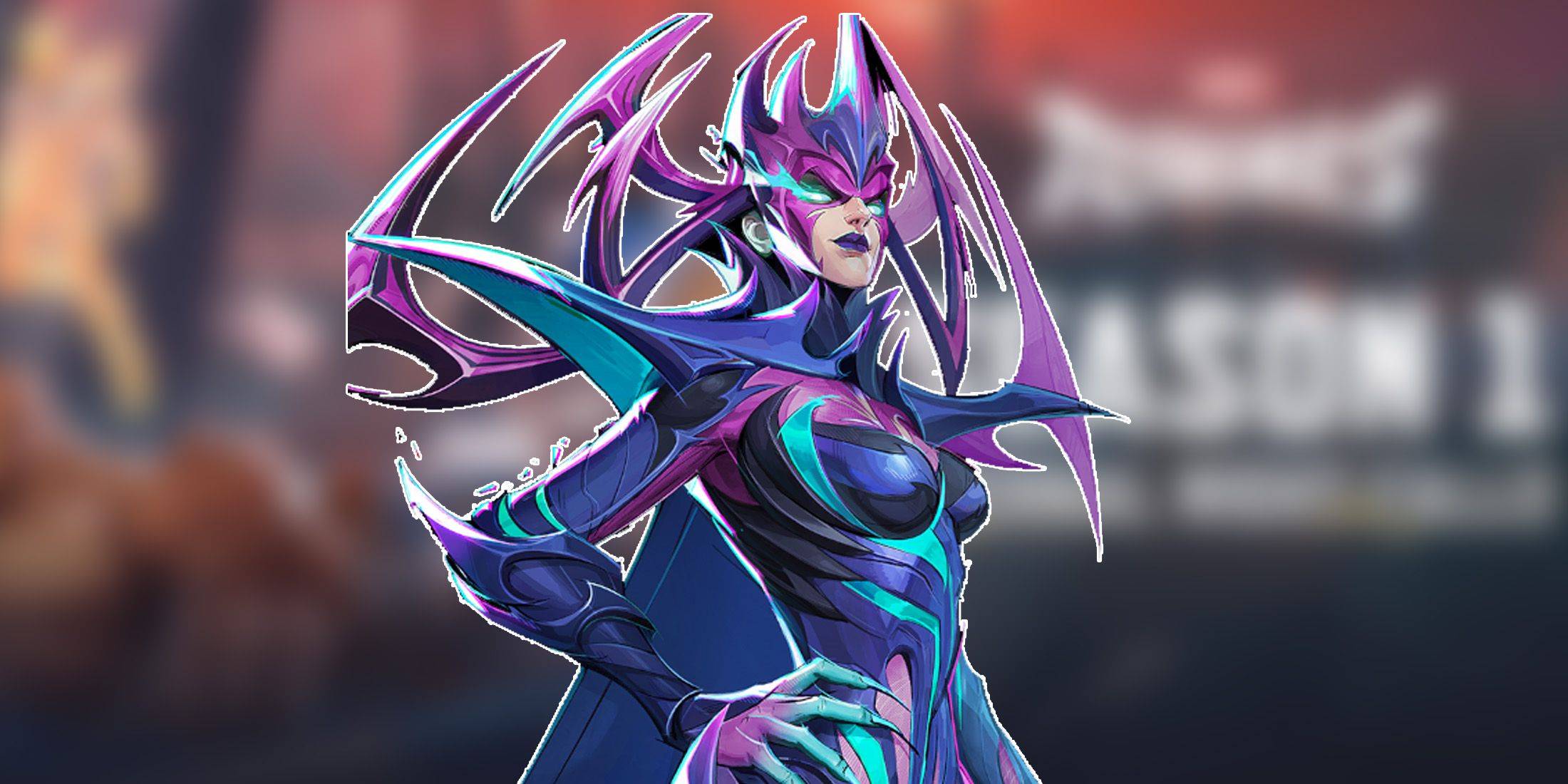
Marvel Rivals has burst onto the scene with an impressive roster of over thirty playable characters spread across three distinct roles, offering gamers a rich variety of options to dive into matches. Each character boasts a gallery of skins that keeps expanding with new additions every Competitive Season, keeping the game fresh and engaging.
In Marvel Rivals, players can acquire character skins through various methods such as unlocking them from free or premium Battle Pass tiers, completing challenges, participating in limited-time events and missions, purchasing them from the in-game shop using digital or real currencies, or claiming them via Twitch Drops. As of Season 1 - Eternal Night Falls, a fresh batch of Twitch drops has been introduced, featuring Hela with a stunning Galacta-themed cosmetic available for free. Below is a detailed guide on how to claim these exciting freebies.
How to Get Will of Galacta Hela Skin For Free in Marvel Rivals
---------------------------------------------------------------
The Will of Galacta skin for Hela is part of the Season 1 - Eternal Night Falls Twitch drops campaign, available from January 10 until January 25 at 11:30 PM UTC. To claim these rewards, players must link their Marvel Rivals account to their Twitch account and watch the required amount of Marvel Rivals gameplay streamed by broadcasters who have enabled drops. These streams are typically marked with [DROPS] in the title.
After earning the Twitch drops, don't forget to navigate to the drops section of your Twitch profile and click the claim button for each item. Once claimed, you will receive an in-game mail for each item, with an additional button to claim them within Marvel Rivals.
Marvel Rivals Season 1 Twitch Drops
- Watch for 30 minutes: Will of Galacta spray
- Watch for 1 hour: Will of Galacta Hela Nameplate
- Watch for 4 hours: Will of Galacta Hela Skin
How to Link Twitch to Marvel Rivals Account
- Visit the Marvel Rivals website.
- Click the log in button located in the top right corner.
- Sign in using your preferred platform - Steam, PlayStation, etc.
- After logging in, access your profile and select 'Connections'.
- Choose Twitch and follow the on-screen instructions to complete the linking process.
-
 Match TwoBoost Your Brain with a Memory Challenge! Exercise your mind with the timeless Memory card game! Your objective is simple yet challenging: find and match all identical pairs of cards on the board. About This Matching Game This classic memory challe
 -
 Little Anime Alchemist: CCGElements Throwdown - Perfect your deck-building skills and dominate the alchemy battlefield in this strategic TCG card game.Step into Little Anime Alchemist: CCG's enchanting world, where stunning anime visuals meet deep card-battle strategy. Gather
 -
 King of Solitaire by LKDEVViva a emoção do jogo de SOLITÁIRE GRATUITO nº 1 no Android com King of Solitaire by LKDEV! Se você é fã de jogos clássicos de cartas como Solitaire ou Paciência, este aplicativo é perfeito para você. Desenvolvido pela University of Games Sp. z o.o.
 -
 Glyph predictorNeed a reliable tool to anticipate glyph sequences for your favorite game? Meet the Glyph Predictor App! Launch the app and turn on overlay mode, tap refresh, choose your glyph count, and sketch your first glyph using the handwriting input overlay.
 -
 bug smash gameSmash, crush, and squish flying and crawling bugs in this incredibly addictive arcade game!Get Ready for the Ultimate Bug-Smashing Adventure!Join the thrilling world of Bug Smash Game, where tapping, smashing, and blasting through swarms of airborne
 -
 LIPOGRAMApp for the board game Lipogram.In Lipogram, your goal is to get others to guess words against the clock.You can say anything—except words containing a specific forbidden letter. Compete in versus mode with two teams, or work together in co-op to tac




