


| App Name | AR Draw Anime Trace Sketch AI |
| Developer | Hoboland |
| Category | Casual |
| Size | 17.40M |
| Latest Version | 1.0.1 |
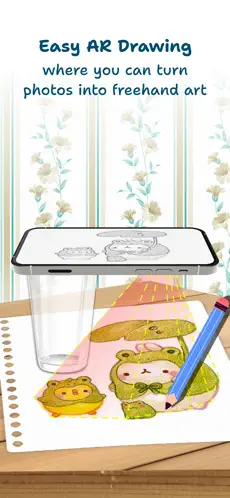
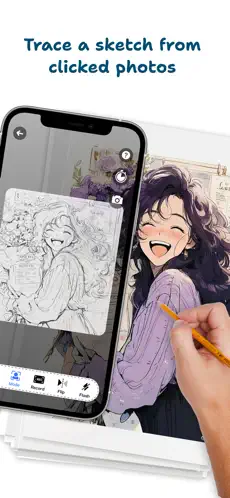
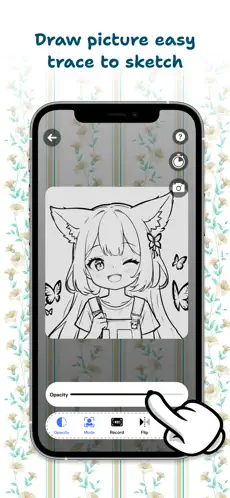


AR Draw Anime Trace Sketch AI revolutionizes digital art by blending augmented reality with intuitive sketching tools. Designed for anime enthusiasts, this app lets you trace and craft stunning anime-style drawings with real-time overlays and dynamic templates. Whether you're a beginner or a pro, it accelerates skill development while making the creative journey more enjoyable.
Key Features of AR Draw Anime Trace Sketch AI
- AI-Powered Drawing Assistant
Unlock your artistic potential with intelligent AI guidance that refines strokes, suggests improvements, and offers real-time feedback. Elevate your anime sketches with smart algorithms that adapt to your style and skill level.
- Dynamic Color Selection
Bring characters to life with an expansive color wheel featuring rich pigments and special effects. Customize every detail to produce eye-catching, personalized anime artwork that stands out.
- Precision Tracing & Social Sharing
Master flawless line work with advanced tracing technology, then showcase your art globally. Engage with a thriving community of artists through seamless sharing options within the app ecosystem.
Pro User Tips:
- Leverage the AI assistant's adaptive suggestions to overcome creative blocks and refine your technique. The system learns your style to provide increasingly relevant guidance.
- Explore the full spectrum of the color engine - layer tones, experiment with gradients, and discover unexpected combinations that give your artwork professional polish.
- Perfect your sketches using the responsive tracing system before sharing portfolio-ready pieces across platforms. Engage with fellow creators for inspiration and growth.
1. AR-Powered Sketching: Transforms any environment into a digital canvas by superimposing reference images through your camera, ensuring anatomical accuracy when drawing complex scenes or characters.
2. Intuitive Design: Features a clutter-free workspace optimized for quick adoption, allowing immediate focus on artistic creation rather than software navigation.
3. Skill Development Platform: Beyond tracing, serves as an educational tool that progressively improves fundamental abilities like perspective, line control, and spatial awareness through guided practice.
Considerations:
1. Hardware Requirements: AR functionality demands newer device models with advanced camera and processing capabilities, potentially excluding some users.
2. Adaptation Period: The augmented reality interface may require dedicated practice to fully master, particularly for those new to digital drawing tools.
3. Professional Limitations: While excellent for learning and casual creation, professionals might need complementary software for advanced editing capabilities beyond the app's core features.
Latest Updates
- Performance optimizations and bug fixes
-
 Clash of Clans Unveils Town Hall 17: Game-Changing Update Released
-
 Trainer's Pokémon Set to Resurface in Pokémon TCG in 2025
-
 Stalker 2: List Of All The Artifacts & How To Get Them
-
 Shadow of the Depth: Open Beta Now Available on Android
-
 Mastering Parry Techniques in Avowed: A Guide
-
 Breaking: Ubisoft Unveils Covert NFT Gaming Venture