

Home > Apps > Communication > WiFi AR

| App Name | WiFi AR |
| Developer | Wi-Fi Solutions |
| Category | Communication |
| Size | 9.80M |
| Latest Version | 5.9.3 |
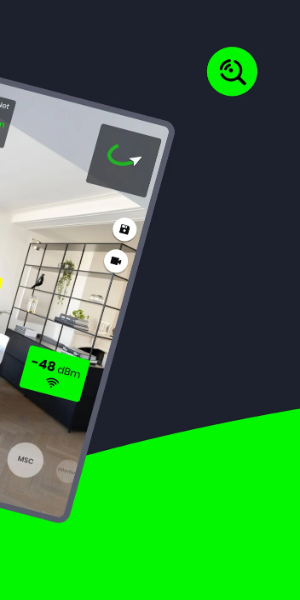
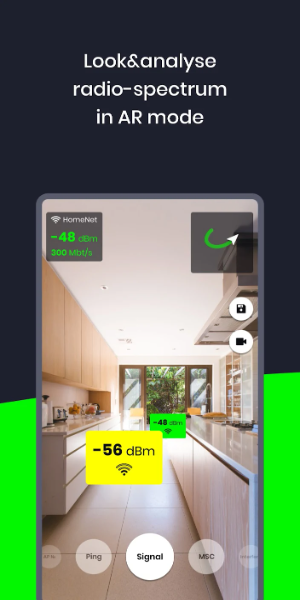


WiFi AR is a revolutionary app that transforms your existing WiFi and cellular networks into an augmented reality visualization. It helps you pinpoint optimal access points by clearly displaying signal strength, connection speeds, and ping latency. The app also highlights neighboring networks that could cause interference, enabling you to ensure peak performance across all your routers.
Key Features of WiFi AR:
- Real-Time Speed Value: Instantly view your current connection speed.
- Ping Value: Locate the area with the lowest latency for seamless online gaming, whether on WiFi or 5G/LTE.
- Interference Detection: Identify nearby networks that may degrade your connection, allowing you to switch your router to a clearer channel.
- Best Access Point Finder: Verify that your device seamlessly switches between multiple routers in your home for the strongest signal.
WiFi AR User Interface
- Camera View: The main interface features a live feed from your device's rear camera, providing a real-time view of your environment.
- Augmented Data Overlay: A transparent layer superimposed on the camera view displays vital WiFi information. This includes signal strength bars, network names (SSIDs), security icons, and directional arrows pointing to nearby access points.
- Network List: An easy-to-scan list or grid shows all available WiFi networks, displaying details like SSID, signal strength, and security type. Tap any network for more info or to connect.
- Navigation Controls: On-screen buttons or intuitive gestures let you interact with the AR display—zoom, rotate, or access additional tools.
- Settings & Options: Customize the app's behavior, adjust AR display preferences, and access advanced tools for network diagnostics and signal optimization.
- Help & Support: Contextual tooltips, informational pop-ups, or a dedicated help section guide you on using the app effectively.
- Signal Visualization: Beyond standard bars, the app uses intuitive color codes and graphics to represent WiFi signal quality and strength in your vicinity.
- Alerts & Notifications: Receive instant alerts for potential WiFi problems, such as weak signals or network congestion.
- 3D Models: Some versions feature 3D models of routers within the AR overlay, helping you visually identify networking hardware.
- Connectivity Status: A clear indicator shows your device's current WiFi connection state (e.g., Connected, Disconnected, Obtaining IP).
What's New
Updated Wi-Fi modes with new details: Band, IEEE mode, and maximum Tx/Rx rate.
Fixed a video capture bug affecting some devices.
-
 Clash of Clans Unveils Town Hall 17: Game-Changing Update Released
-
 Trainer's Pokémon Set to Resurface in Pokémon TCG in 2025
-
 Stalker 2: List Of All The Artifacts & How To Get Them
-
 Shadow of the Depth: Open Beta Now Available on Android
-
 Mastering Parry Techniques in Avowed: A Guide
-
 Breaking: Ubisoft Unveils Covert NFT Gaming Venture